Creating a Case
Posting a case is a four-step wizard at Cases → New Case (`/cases/new`). It's designed to be honest about what you actually need before you start looking for…
Posting a case is a four-step wizard at Cases → New Case (/cases/new).
It's designed to be honest about what you actually need before you start
looking for help.
Step 1 — Triage (5 questions)
The wizard opens with a short triage: five questions, four answers each, scored 0–3:
- How familiar are you with this practice area?
- How familiar are you with the jurisdiction (courts, local rules, judges)?
- Do you have the time, staff, and resources to handle this on your own?
- Does the case involve specialized subject matter?
- What's your relationship to the client and the risk profile?
Your total (0–15) maps to a suggested tier:
| Tier | Score | Meaning |
|---|---|---|
| 🟢 Green | 0–4 | You can handle this solo — no co-counsel needed |
| 🟡 Yellow | 5–10 | Needs co-counsel — matching flow is the right next step |
| 🔴 Red | 11–15 | Refer out — you should not handle this alone |
The triage result is a suggestion, not a gate. You can override the tier with a reason (for example, "small matter, confident despite low familiarity"). Your answers and any override are saved with the case.
Step 2 — Case details
Now the substance of the posting:
- Title — anonymized, no client PII. Think "Breach of contract — small business" rather than anything identifiable.
- Description — scope, issues, and what you need from co-counsel.
- Practice area and jurisdiction — from the reference lists. These two fields drive matching, so pick the ones that describe the case, not your whole practice.
- Complexity tier — pre-filled from your triage (editable here if you changed your mind after the review step).
- Urgency — standard, expedited, or emergency.
- Estimated value — a range is fine (e.g. "$5,000–$15,000").
Step 3 — Adverse parties
List the names of adverse parties, anonymized (last name or a description is fine). Two limits apply: up to 20 entries, and each name up to 100 characters.
These names power the conflict check that runs when someone proposes a match on this case (see How Matching Works). The more accurate this list is, the more useful the check is.
Step 4 — Review & create
Review everything — title, details, triage result, adverse parties — then Create Case. The case is saved as a draft.
After creation
Your new case appears in Cases (/cases). While it's a draft you can:
- Edit it (case detail page → Edit).
- Delete it — drafts and closed cases can be deleted; cases with active work cannot.
- Publish it — change the status to Seeking co-counsel. Only published cases are eligible for matching.
Case statuses
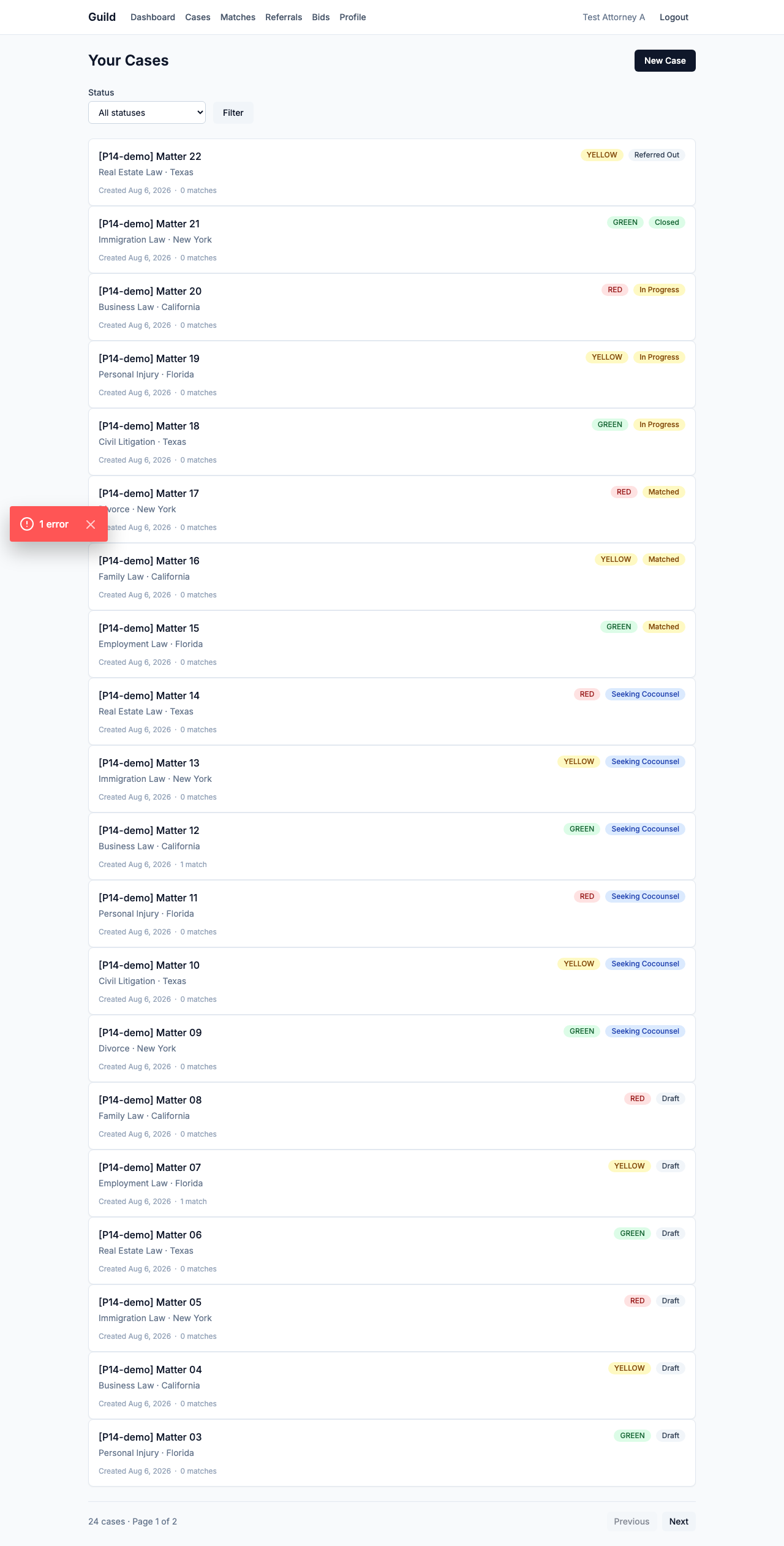
| Status | Meaning |
|---|---|
| Draft | You're still working on it; not searchable or matchable |
| Seeking co-counsel | Published — this is the state where other practitioners can be matched to it |
| Matched | You've accepted a co-counsel for this case |
| In progress | Work is underway with your co-counsel |
| Closed | Done |
| Referred out | The case was referred to another practitioner |
The cases list
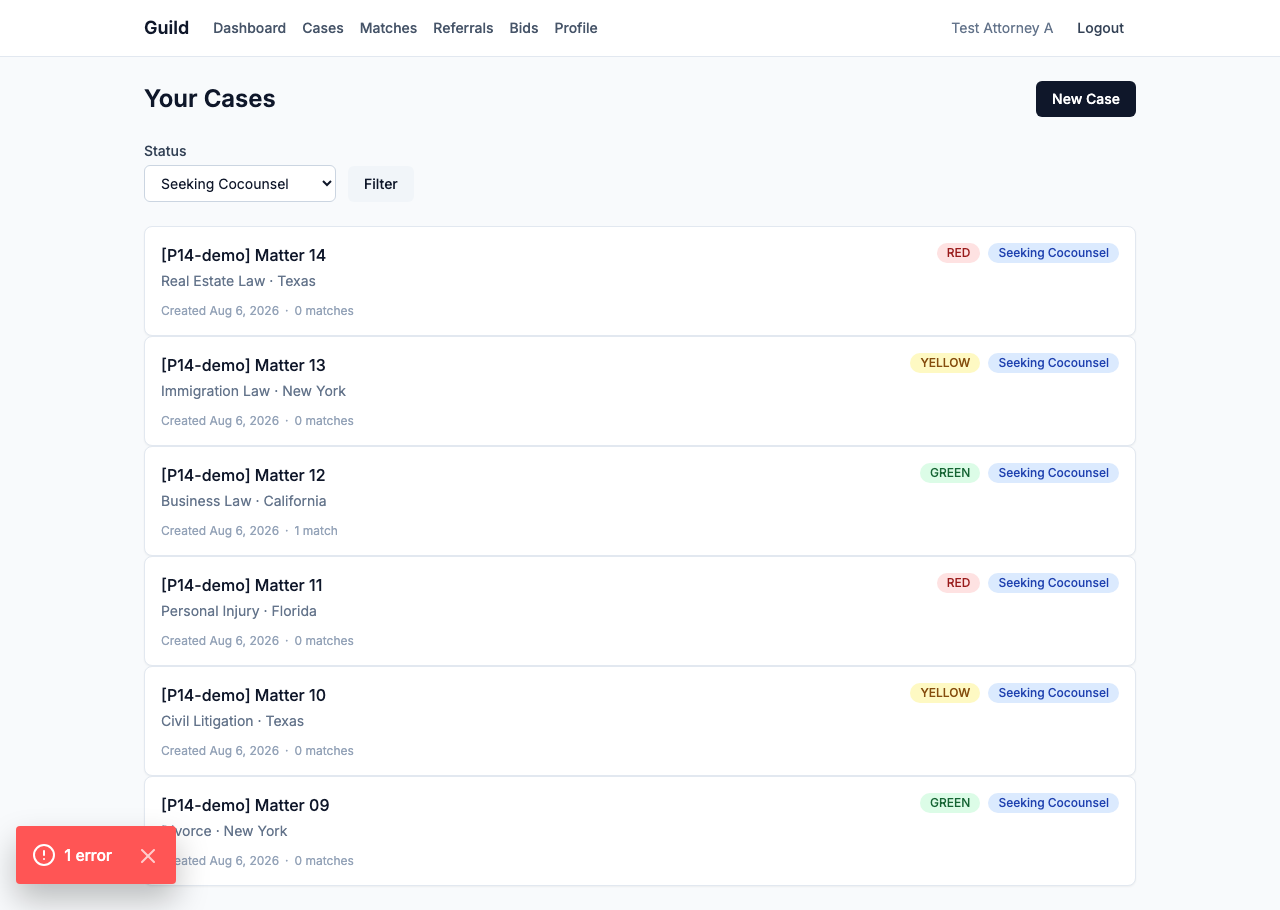
Your cases list supports filtering by status and pagination (list screenshot, filtered screenshot). Each card shows the case's current match count — how many co-counsel matches it has.
Next: How Matching Works — what happens after you publish.